In 2025, more people than ever rely on online tools to calculate, convert, fix, test, and solve everyday problems instantly. Whether it’s checking your salary tax, compressing an image, converting a PDF, analyzing text, running an AI test, or calculating loan EMIs, online tools save time and make life easier.
That’s exactly why iLuvTool was created – to bring more than 200+ free online tools into one simple, fast, ad-free platform anyone can use.
Below is the full mega collection of the most popular and useful tools of 2025, all available at iLuvTool.com — free forever.
Whether you’re calculating income tax, checking your friendship level, or compressing a photo – iLuvTool gives you fast, simple tools that work instantly.
International Tools
Essential tools for foreign workers, students, expats and travellers. No slider – everything in one place.
Malaysia Salary Tax Calculator – Complete Guide, Formula & How It Works (2025)
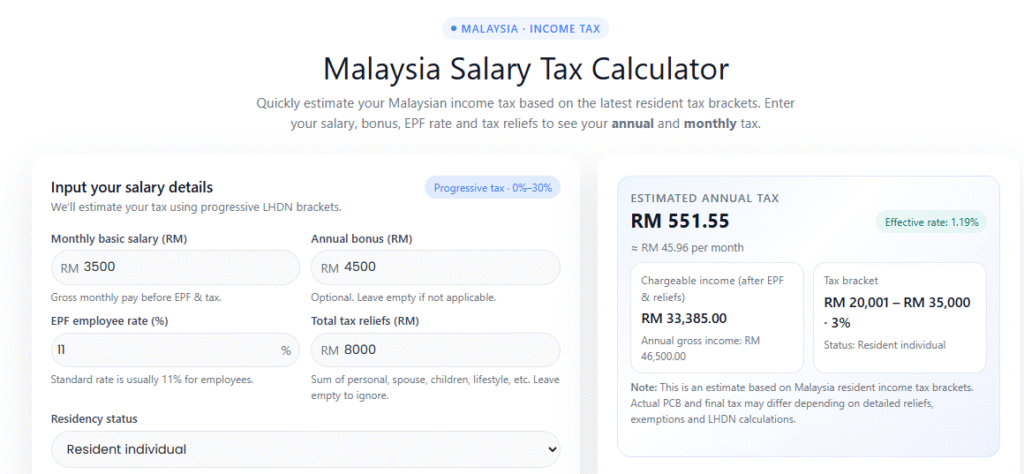
The Malaysia Salary Tax Calculator is a free tool that helps you estimate your annual and monthly income tax based on the latest LHDN progressive tax brackets. It uses your monthly salary, annual bonus, EPF contribution rate, and tax reliefs to calculate your chargeable income and effective tax rate.
This tool is useful for employees, HR teams, fresh graduates, freelancers, and anyone who wants to know how much Malaysia income tax they need to pay.
Malaysia Salary Tax Calculator
1. What Is the Malaysia Salary Tax Calculator?
The Malaysia Salary Tax Calculator is designed to help Malaysians quickly estimate:
Annual and monthly income tax
EPF deductions
Chargeable income
Effective tax rate
Which tax bracket they fall under
Instead of manually checking LHDN tables, this calculator gives you instant, accurate results based on the latest 2025 tax structure.
2. Why Do Malaysians Use This Calculator?
Calculating tax manually can be confusing due to:
Different tax brackets (0%–30%)
EPF deductions
Personal & lifestyle reliefs
Bonus tax
Resident vs non-resident rules
This calculator helps you:
✔ Know how much PCB/MTD tax you should pay
✔ Plan your salary and bonus
✔ Avoid wrong tax calculations
✔ Estimate your take-home pay
✔ Understand your tax bracket
It’s extremely useful for salaried workers, expats, employers, and fresh grads.
3. How the Malaysia Salary Tax Calculator Works
The calculator uses this formula for resident individuals:
Fake invoices are becoming a major problem in 2025 – especially across e-commerce, B2B payments, freelancers, accounting teams, and social media scams.
Fraudsters now use:
Edited screenshots
Altered invoice amounts
Fake templates
AI-generated invoices
Modified PDFs and JPEGs
Recycled invoice numbers
This is why invoice authenticity checks are critical.
The AI Invoice Authenticity Detector from iLuvTool allows anyone to upload an invoice image and instantly scan for manipulation patterns.
Everything runs 100% locally on your device – no uploads, no storage.
What This AI Invoice Detector Actually Does?
The tool uses a combination of heuristic-based checks:
✔ ELA (Error Level Analysis)
Detects regions with abnormal compression and editing.
✔ Noise Pattern Comparison
Edited text or numbers often have different noise.
✔ Metadata Inspection
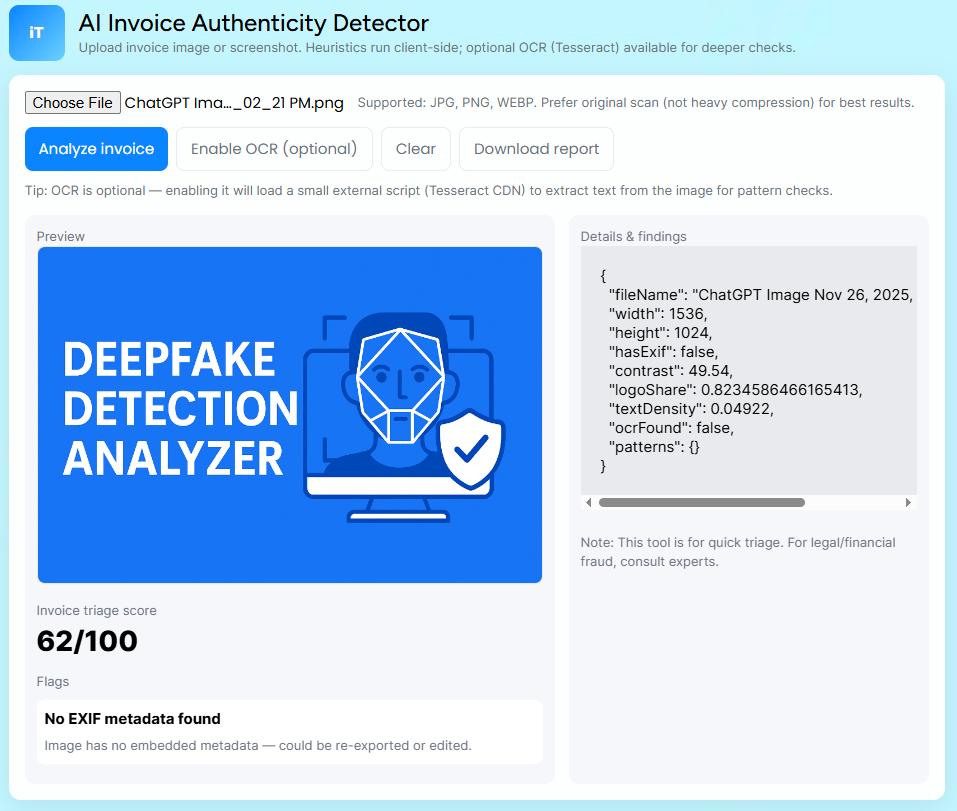
Fake invoices usually have missing EXIF or suspicious metadata.
✔ OCR Text Extraction (Optional)
Extracts text via Tesseract to identify:
Inconsistent font sizes
Spacing anomalies
Misaligned amounts
Tampered fields
✔ Pixel-Level Hotspot Mapping
Highlights suspicious zones that differ from the rest of the image.
This is not forensic-level — but it gives fast, reliable triage for business and personal use.
Conversational Q&A:
“How can I check if an invoice is authentic?”
Upload the invoice to the AI Invoice Authenticity Detector. It scans for manipulated regions, metadata issues, inconsistent fonts, and edited amounts.
“Is this invoice edited?”
If the totals, bank details or text appear different in noise or compression, it may be edited.
“How do scammers fake invoices?”
They change bank accounts, modify amounts, or edit dates on screenshots.
“Is it safe to upload my invoice?”
Yes – the tool runs locally in your browser.
“Can AI detect invoice fraud?”
AI can highlight editing patterns and inconsistencies, making it easier to spot fake or modified documents.
How to Use the AI Invoice Detector (Step-by-Step)
Step 1 – Upload the invoice
Use original image if possible.
Step 2 – Tap “Analyze invoice”
The system scans:
Noise
EXIF
Compression
Regions
Edits
Step 3 – Enable OCR (Optional for deeper checks)
OCR helps detect:
Font mismatches
Altered numbers
Manual edits
Step 4 – Review Flags
RED = high risk YELLOW = suspicious GREEN = normal
Step 5 – Download the report
Useful for:
Business verification
E-commerce disputes
Internal audits
Document review
What Fake Invoices Look Like (Common Signs)?
People often modify invoices by:
Editing the total amount
Changing bank account numbers
Altering dates
Removing watermarks
Editing screenshots with apps
Replacing company logos
Merging different invoice parts
Your tool detects many of these patterns.
Industries That Benefit from Invoice Authenticity Tools:
E-commerce sellers
Dropshippers
Freelancers
Small businesses
Accounting teams
Procurement
Logistics
Manufacturing
Real estate
Students receiving scholarship invoices
Warning: Invoice Fraud in Malaysia:
Scams increasing in MY:
Fake Shopee/Lazada invoices
Edited PDF invoices
Modified bank accounts for payment diversion
Fake courier/delivery invoices
Fake repair invoices
FAQs:
Can scammers edit invoices easily?
Yes. Anyone can change totals or bank numbers using editing apps.
Does this detect PDF deepfake invoices?
The tool analyzes image-based invoices; convert PDFs to images first.
Is this safe for business use?
Yes – it’s private and device-side.
Can this tool verify tax invoices?
It can detect editing but can’t verify government tax registration.
Disclaimer: This tool provides heuristic checks only and may not detect all manipulation. For legal or identity matters, consult an official authority or expert.
Deepfake Detection Is Becoming a Daily Need – Here’s the Fastest Way to Analyze an Image or Video.
Deepfakes are increasing rapidly across social media, WhatsApp, Telegram, TikTok, dating apps and even job scams. People now face:
Fake face swaps
AI-generated videos
Altered audio
Edited screenshots
Manipulated pictures used for blackmail or scams
Most users have no idea how to check if a media file is real or fake.
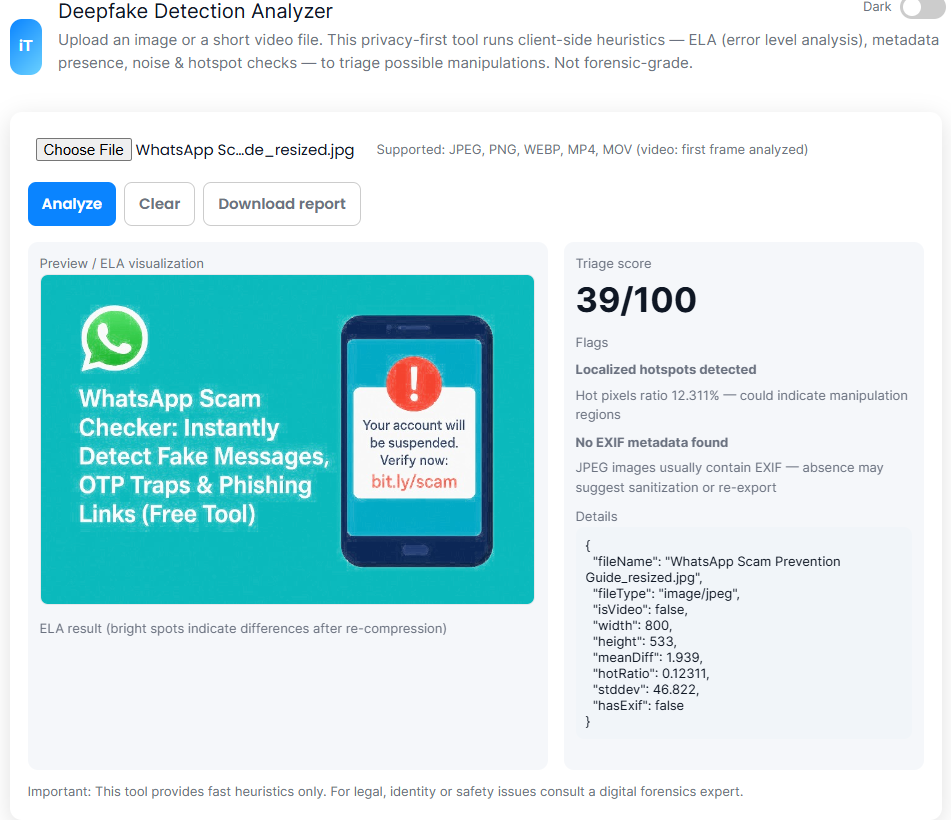
The Deepfake Detection Analyzer at iLuvTool helps you quickly detect suspicious signs using client-side heuristic techniques, giving you fast triage (non-forensic level) results.
Everything runs locally – your image/video stays on your device.
What Is the Deepfake Detection Analyzer?
It’s a privacy-first tool that analyzes images and the first frame of videos using:
ELA (Error Level Analysis) — detects manipulation levels
Metadata inspection — looks for missing EXIF
Noise patterns — highlights inconsistencies
Hotspot mapping — detects areas with different compression levels
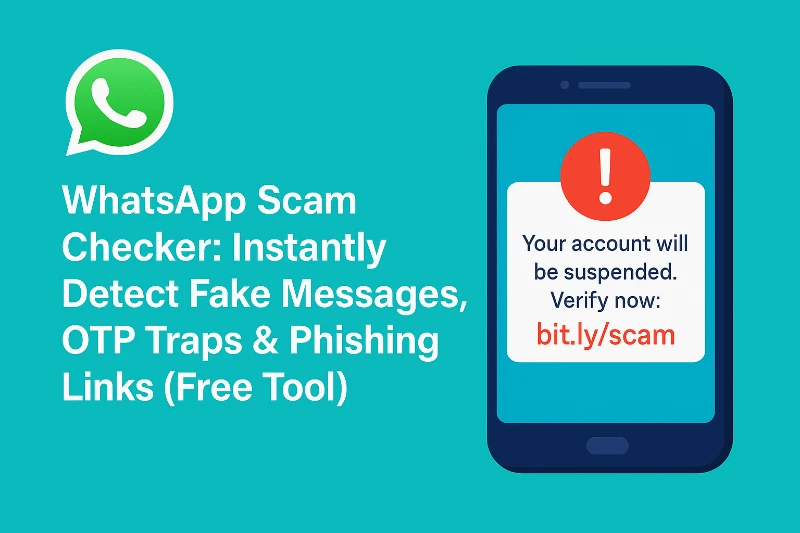
Scammers are getting smarter every year. WhatsApp has become one of the top platforms used by online scammers – especially for buyers and sellers on Facebook Marketplace, SMS, Shopee, TikTok Shop, Mudah, Telegram, and Instagram.
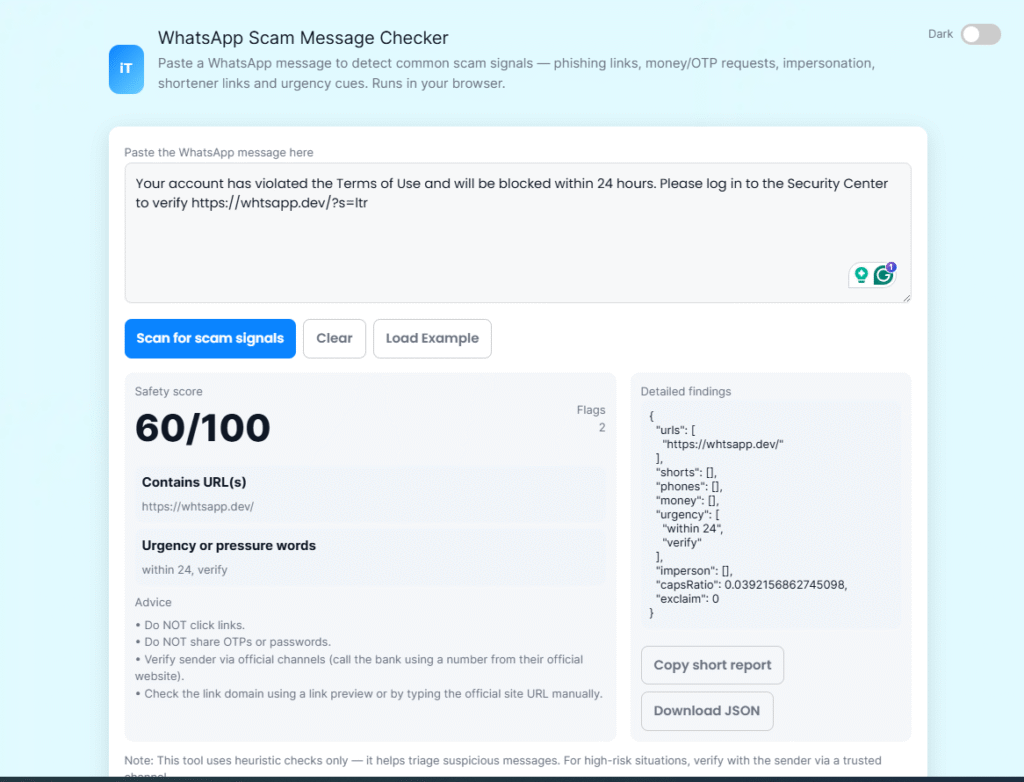
Today, one of the most common scam tricks is sending a fake WhatsApp link, usually in the format: Your account has violated the Terms of Use and will be blocked within 24 hours. Please log in to the Security Center to verify https://whtsapp.dev/?s=ltr
WhatsApp scams are exploding worldwide – especially in Malaysia, Singapore, India and UAE. Every day people receive messages asking for:
OTP codes
Account verification
Payment updates
Parcel delivery
Money transfers
Fake suspension notices
Most people don’t know how to identify if a message is real or dangerous. That’s exactly why this WhatsApp Scam Message Checker exists.
Paste any message → the tool highlights suspicious parts → gives a safety score.
wa.me/XXXXXXXXXX
api.whatsapp.com/send?phone=…
bit.ly → wa.me
tinyurl.com → wa.me
Some links look real, but they are modified to steal data, redirect you to phishing pages, or connect you to a scammer pretending to be a real buyer/seller.
Why WhatsApp Links Are Dangerous Now?
Scammers use WhatsApp links to:
✔ Pretend to be a buyer
They send you a wa.me link to “confirm payment” — but actually redirect to a phishing payment page.
✔ Fake delivery companies
Common scam trick:
“We already send parcel. Please pay small delivery fee at this WhatsApp link.”
✔ Hijack your WhatsApp
Fake links trick users into giving verification codes.
✔ Masked short links
Scammers hide their WhatsApp link inside a short URL (bit.ly / tinyurl).
✔ Redirect through multiple unsafe domains
Modified links that look like WhatsApp but aren’t.
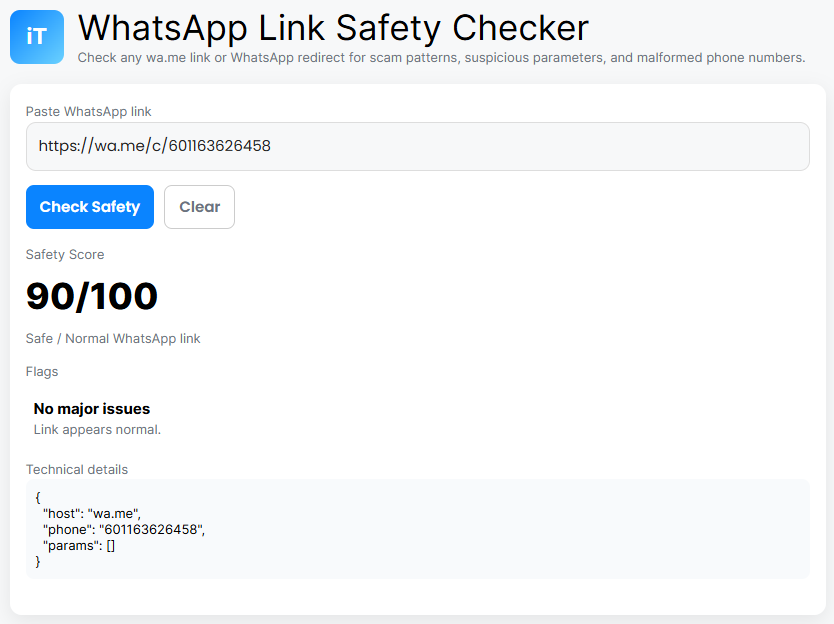
How the WhatsApp Link Safety Checker Works?
Our tool scans your link instantly and checks for:
✔ Non-official domains
Only these are real:
wa.me
api.whatsapp.com
chat.whatsapp.com
Anything else = suspicious.
✔ Fake or malformed numbers
If the number doesn’t follow international format, it’s likely fake.
✔ Redirect parameters
Flags suspicious query parameters like:
redirect=...
token=...
auth=...
ref=...
id=...
These are common in phishing links.
✔ Shortened links
Scammers use:
bit.ly
tinyurl
cutt.ly
shorturl
Our tool automatically lowers the trust score if used.
✔ Overly long URLs
Very long links hide tracking or redirect payloads.
Why This Tool Is 100% Safe & Private?
Unlike other scanners, nothing is uploaded to any server. Everything runs inside your browser only.
No saving. No logging. No tracking.
You can check sensitive links safely without worrying.
WhatsApp Link Safety Checker
How to Use the Tool?
Copy the WhatsApp link.
Paste it into the checker.
Click “Check Safety.”
Get:
A safety score
Flags for potential scam
Technical breakdown
Final recommendation
🇲🇾 Top WhatsApp Scams in Malaysia (2025 Edition)
This section helps with GEO traffic and AI Overviews.
1. Bank Scam Messages
“Your account will be suspended. Verify here.”
2. PosLaju / courier scams
“Please pay RM1.50 to release parcel.”
3. Police / government impersonation
“You are involved in a criminal case…”
4. Investment scams
“Guaranteed daily income RM300…”
5. OTP hijacking attacks
“Send me the verification code mistakenly sent to you.”
Common WhatsApp Scam Examples:
1. Fake Buyer / Marketplace Scam
“Please confirm payment at this WhatsApp link.” 👉 100% scam.
2. Fake Courier / Delivery Fee Scam
“Your parcel is stuck. Pay RM1.20 at this link.” 👉 100% scam.
3. Fake Business Account
Scammer sends a fake wa.me link pretending to be a company.
4. Shortened WhatsApp Links
Bit.ly → Fake login page
Your account has violated the Terms of Use and will be blocked within 24 hours. Please log in to the Security Center to verify https://whtsapp.dev/?s=ltr
Alert: Please dont click the above url link if you are in Malaysia: This Whatsapp message received by million in Malaysia.
Best FAQs:
“Is this WhatsApp message a scam?”
Paste the exact text into the tool. If it includes urgency, links, OTP requests, or impersonation, it’s a scam.
“How do I know if a WhatsApp link is safe?”
Check if the link is shortened, suspicious, unknown, or forces login. Use the checker to highlight risky parts.
“Can WhatsApp support ask for verification codes?”
Never. WhatsApp will NEVER ask for your OTP.
“What should I do if I clicked a scam link?”
Change passwords immediately and enable 2-factor authentication.
Common WhatsApp Scam Examples:
1. Fake Buyer / Marketplace Scam
“Please confirm payment at this WhatsApp link.100% scam.
2. Fake Courier / Delivery Fee Scam
“Your parcel is stuck. Pay RM1.20 at this link.” 100% scam.
3. Fake Business Account
Scammer sends a fake wa.me link pretending to be a company.
4. Shortened WhatsApp Links
Bit.ly → Fake login pageRed flag.
Tips to Stay Safe:
Never trust shortened links.
Always check number format.
Don’t click if the buyer/seller is rushing you.
Real companies never ask for WhatsApp verification codes.
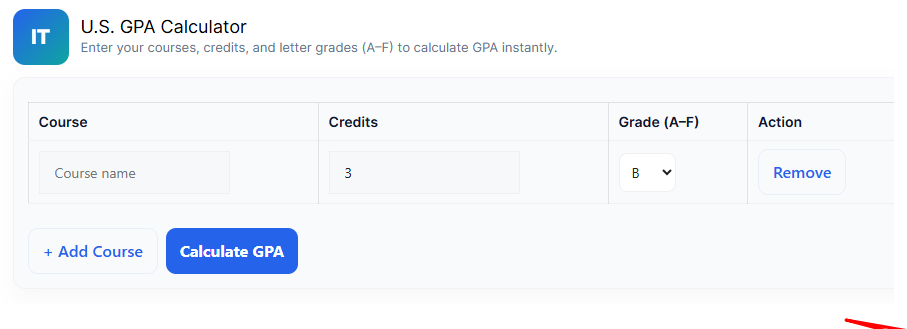
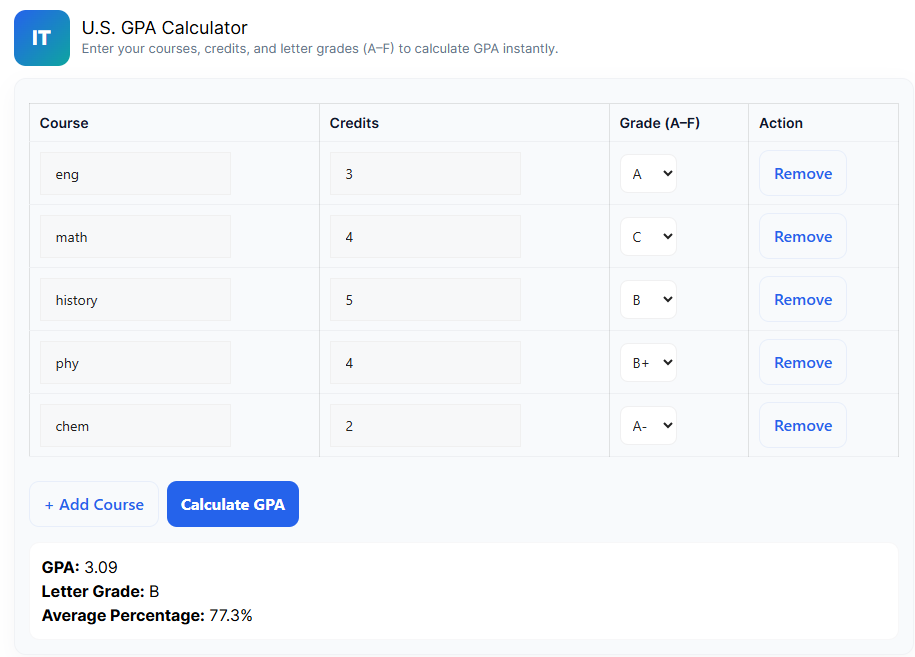
Calculate your GPA fast. No stress. No maths. Just enter your grades and instantly get your GPA.
Calculate your GPA instantly with our free GPA Calculator. Works for college, high school, weighted/unweighted grades, and credit hours. Fast, clean, accurate.
Whether you are a high school student, college student, university student, or someone planning to apply for scholarships, this tool makes the entire process simple. Just add your grades, select credits, and press one button -done.
Today, I’ll explain how this GPA Calculator works, why students love using it, how GPA is actually calculated, and some powerful tips to increase your GPA quickly.
Let’s get into it.
What Is a GPA?
GPA stands for Grade Point Average – a number that represents your overall academic performance.
4.0 GPA = Excellent
3.0 GPA = Good
2.0 GPA = Average
1.0 GPA = Poor
Most schools and universities use a 4.0 scale, but some use 5.0 or even 7.0 systems. This can confuse a lot of students, and that’s why an online GPA tool becomes extremely useful.
Why Use Our GPA Calculator?
There are many GPA calculators online, but here’s what makes the iLuvTool version different:
✅ 1. Very simple interface
No complicated forms. No clutter. Just enter your grades.
✅ 2. Supports both High School & College
Whether you’re using A, B, C, D, F or percentage, it works.
✅ 3. Handles credit hours automatically
Just select the credit for each subject.
✅ 4. Instant calculation
No need for formula, no mistakes.
✅ 5. 100% free and always available
No sign-up, no ads blocking your view, no limits.
✅ 6. Perfect for scholarship, applications, and tracking progress
You can calculate both current GPA and overall GPA.
This tool is designed for students who want a quick, accurate, no-hassle GPA result.
How Does a GPA Work?
GPA = Total Grade Points ÷ Total Credit Hours:
Course
Grade
Grade Point
Credits
Math
A
4.0
3
English
B
3.0
2
Science
A
4.0
4
Step 1: Multiply grade point × credits Step 2: Add all Step 3: Divide by total credits
Most students get confused with step 1 and 2. My tool does everything automatically.
How to Use iLuvTool’s GPA Calculator?
Step 1: Select your grading system
Choose from A-F, 4.0 scale, percentage, or custom.
Step 2: Add your subjects
Click “Add Course” to enter as many as you need.
Step 3: Choose grade + credits
Select your grade for each course and the credit hours.
Step 4: Click Calculate
Instantly get your GPA.
Step 5: Download or copy your result
Use your GPA for college applications, scholarship forms, job resumes, etc.
That’s it. Fast and easy.
Who Should Use This GPA Calculator?
High School Students
Track your grades each semester and improve your academic performance.
College Students
Manage multiple courses, labs, and credit hours.
Parents & Teachers
Check academic progress quickly.
Scholarship Applicants
Most scholarships require GPA above 3.5 or 3.7 — get your exact number instantly.
Whether you’re in high school, college, or planning to apply for a scholarship, this tool gives you the exact GPA you need in just seconds.
Final Words:
GPA doesn’t define your intelligence – but it does help with opportunities. By using this calculator, you can track your progress, understand where you stand, and aim for a stronger academic future.
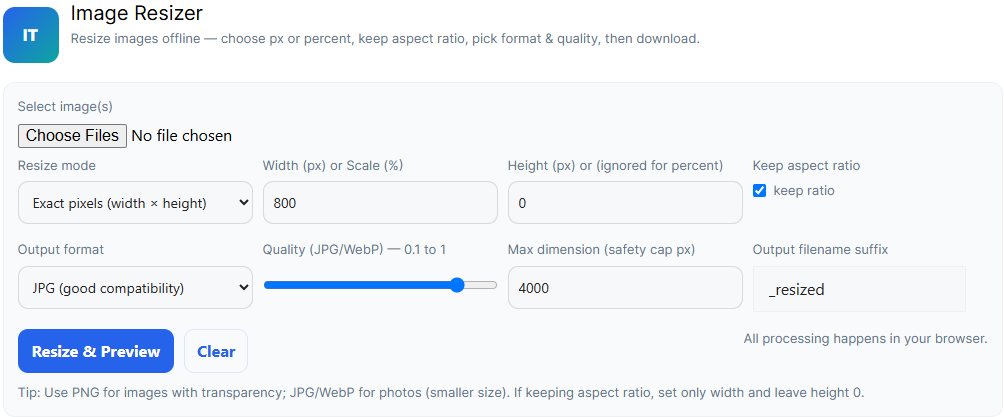
If you ever needed to resize an image quickly – for WhatsApp, Instagram, websites, school work, or product photos – you know how annoying some tools are. Slow uploads, watermarks, ads everywhere… headache.
That’s why I built a free, fast, offline Image Resizer that works directly in your browser.
If you want a fast, simple, safe image resizer that works on mobile and desktop, this tool is honestly the easiest option. No ads, no uploads, no complicated settings.
Maintaining a healthy weight is one of the most important parts of staying fit, feeling confident, and preventing long-term health problems. One of the simplest ways to check whether your weight is in a healthy range is by calculating your BMI (Body Mass Index).
In this beginner-friendly guide, we will explain what BMI means, how it works, how to calculate it correctly, and how to read your results using our free BMI Calculator on IluvTool.
⭐ How to Calculate BMI (The Formula)
BMI uses a very simple formula:
BMI = weight (kg) ÷ height (m²)
Example:
Weight: 70 kg
Height: 1.75 m
BMI = 70 ÷ (1.75 × 1.75) = 22.86
But you don’t need to calculate it manually — just use our free tool below.
✔ Understand if your weight is healthy ✔ Track your fitness progress ✔ Adjust your diet and lifestyle ✔ Prevent long-term health issues ✔ Set realistic fitness goals
BMI is often used as the first step before deeper health checks.
Limitations of BMI:
It’s important to know that BMI is not perfect.
BMI does not measure:
Muscle mass
Body fat percentage
Bone structure
Body shape
For example, athletes may have high BMI due to muscle, not fat. That’s why you should combine BMI results with tools like:
These tools provide more complete insight into your health.
Tips to Improve Your BMI:
If your BMI is higher or lower than normal, here are simple steps:
✔ Add 20–30 minutes of activity daily ✔ Drink enough water ✔ Sleep 7–8 hours ✔ Eat balanced meals ✔ Reduce sugary drinks ✔ Increase protein and vegetables
Small lifestyle changes lead to big results.
⭐ Final Thoughts
BMI is a simple and effective way to check whether your weight is in a healthy range. Using the IluvTool BMI Calculator, you can calculate it instantly without downloading any app or doing manual math.
If you want to stay healthy, track your progress regularly and combine BMI with other health tools provided on our website.